FedEx · Parcel Management

Parcel Management Overhaul

Turned a $5M revenue leak into a scalable, automated workflow across 100+ locations and 2M+ packages annually.

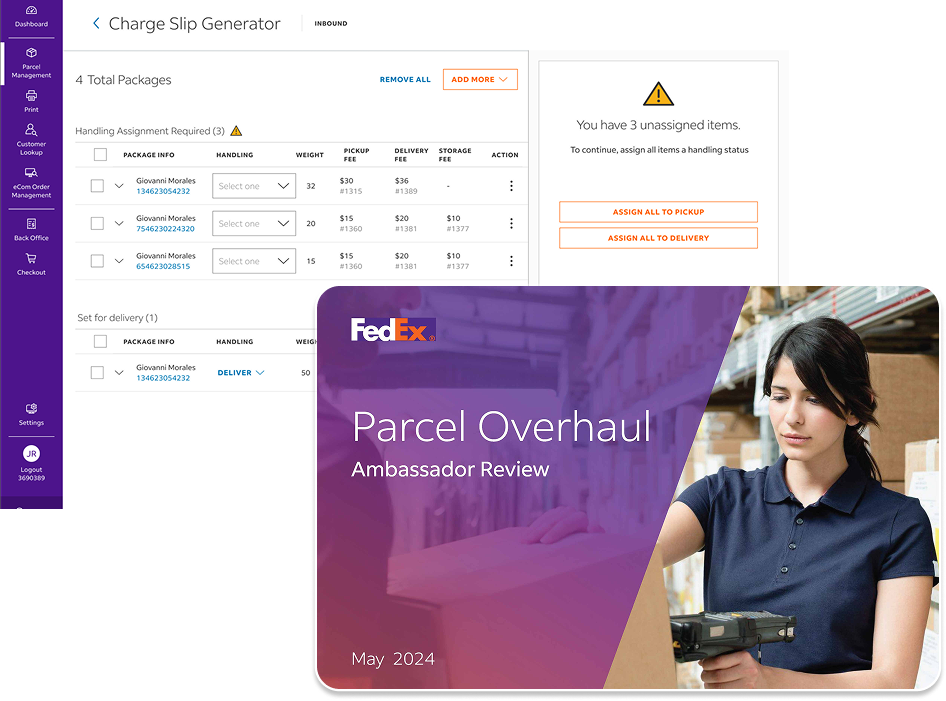
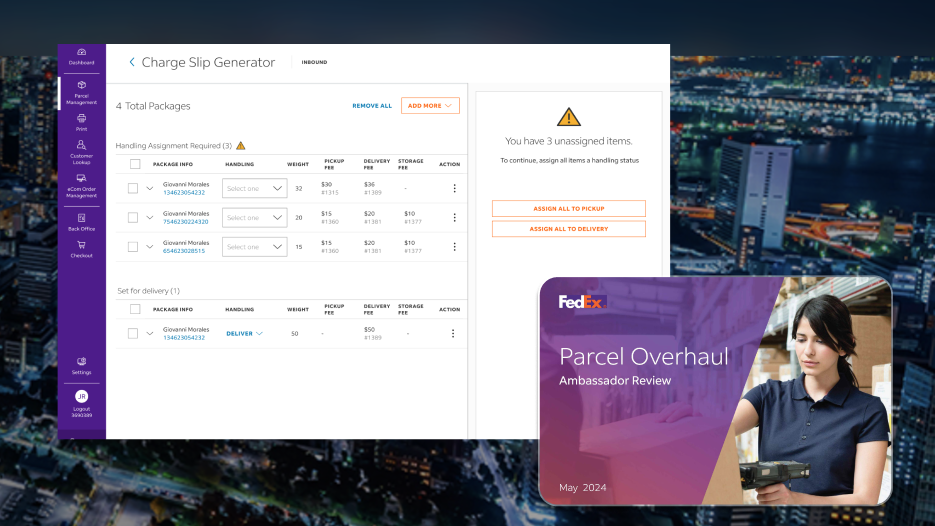
FedEx Charge Slip Generator product interface

Executive Summary

As Principal Product Designer, I led the redesign of FedEx's Parcel Management workflow end to end, partnering across teams to close a $5M revenue leak affecting 100+ locations.

The Charge Slip Generator became the centerpiece of that effort, but the real work was rebuilding how an entire operation tracked, validated, and processed revenue.

$5M+
Revenue opportunity
100+
Locations

The Problem

A high-volume parcel operation relied on a fragmented, manual process to calculate handling and storage fees, and as volume scaled across 100+ locations, gaps in the workflow let items skip fee assignment entirely.

Staff and managers felt it daily, in lost time and lost revenue, and by the time I joined, the leakage had grown too large to ignore.
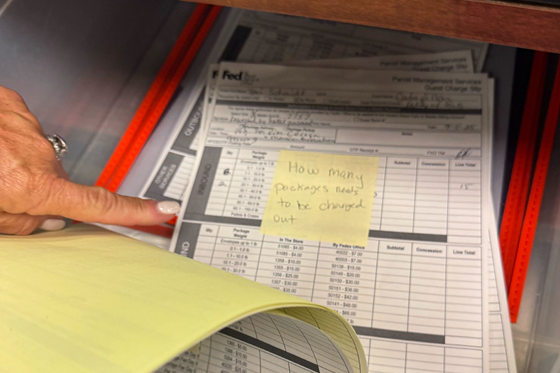
Manual paper charge slip billing workflow
The Bins and Post-it Notes System

The Solution

I partnered with FedEx's teams to redesign the workflow end to end, closing the gaps that let revenue slip through and replacing a manual, error-prone process with one built for accuracy and speed.

The Charge Slip Generator was central to that shift, but it was one part of a broader effort across dashboards, inventory views, and daily operations.

FedEx Parcel Management Charge Slip Generator product preview

Project Goals

This project needed to close a revenue leak and standardize a fragmented process across 100+ locations.

Just as important, it had to give staff a system that could keep pace with volume, without slowing them down or disrupting the familiar patterns of their well-rehearsed routine.

Close the Revenue Leak

Find creative solutions to bypass paper charge slips and lack of storage fee alerts to help capture that leaked revenue.

Standardize Across Locations

Design one application that could serve 100+ locations, from small offices to mega-sized hubs, replacing fragmented manual processes with a workflow that held up at any scale.

Scale With Volume

Support 2M+ packages a year without the system breaking down under load.

Reduce Manual Error

Replace error-prone manual fee tracking with an automated, validated process.

Role

Principal UX / Product Designer

  • End-to-end ownership
  • Strategy & research
  • Execution & handoff

Collaboration

Connective tissue between agency and client. I listened, and I delivered.

  • FedEx stakeholders
  • Engineering & Product leads
  • Enterprise pattern/design system team

Timeline

18 months, from early research to full production ownership

  • Research & discovery
  • Core build
  • Full production ownership

Chapter 01

Discovery

Parcel is unique to FedEx, operating inside hotels and convention centers

Gaylord Texan Resort and Convention Center
Gaylord Convention

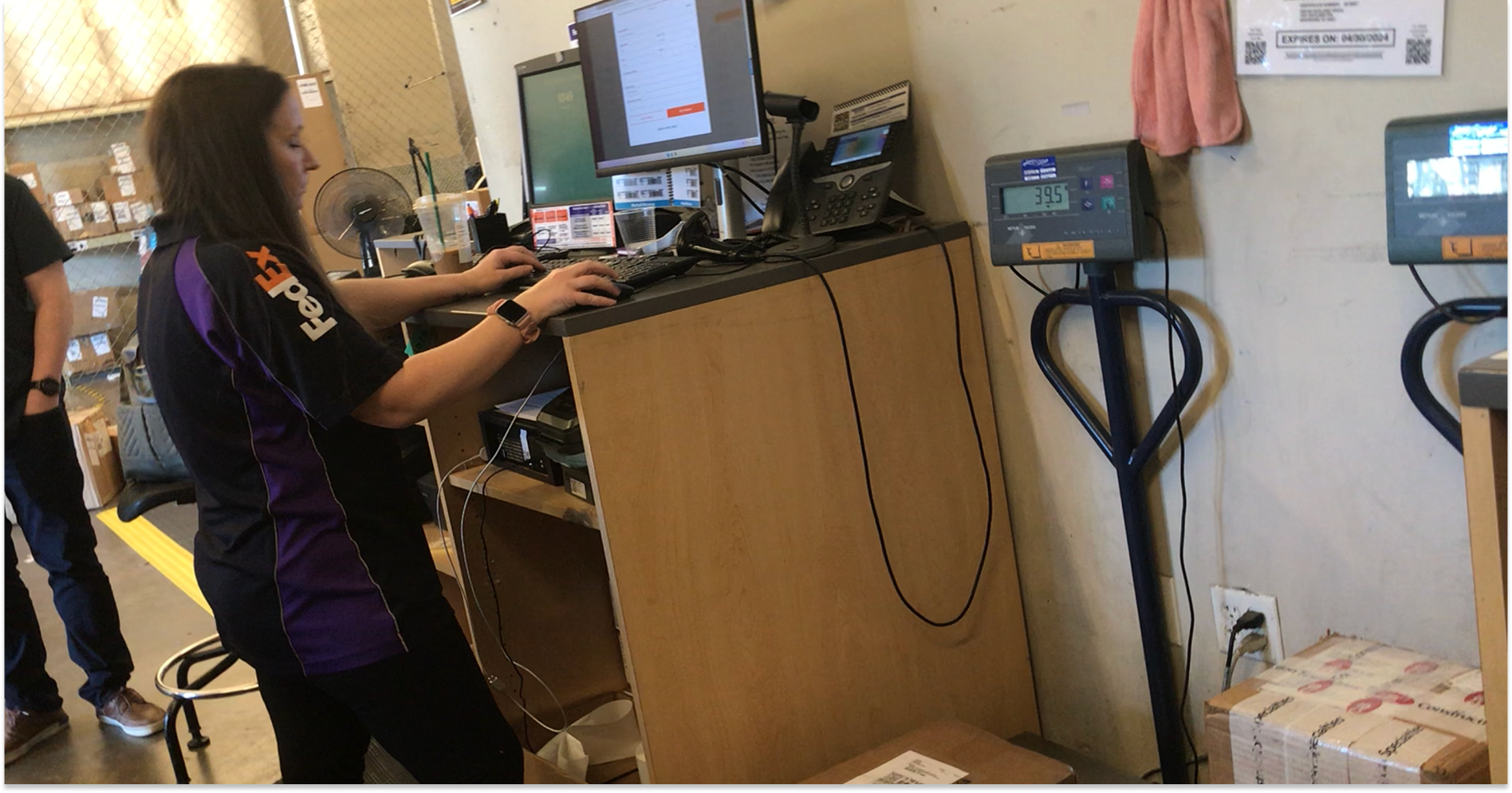
Before redesigning anything, I spent time on-site at the Gaylord Convention Center in Texas, one of FedEx's busiest parcel operations. I watched how staff actually processed packages, day in and day out.

I talked directly with the people doing the job: front-line staff handling charge slips, and the managers accountable for the revenue those slips were supposed to capture. What I found reframed the brief entirely, this wasn't a UI problem, it was a workflow enforcement problem.

FedEx Parcel Management manager photo
Processing a Batch of Packages

01 — A Process In Dire Need Of Updates

The real friction wasn't in any one screen, it was in the gaps between steps, where paper inventory, post its and memory were doing the heavy lifting.

02 — Storage Fees Were Invisible

Storage fees existed as a business rule, but nowhere in the current tools did staff actually see or apply them consistently, they were being missed, not ignored.

03 — Paper Broke Under Volume

Paper worked when volume was low enough for someone to catch a mistake.

At 100+ locations and 2M+ packages a year, nobody was catching anything, the system let items skip fee assignment entirely, and no one downstream knew it had happened.

04 — Location Variability Was the Norm

No two locations operated identically. Any fix that assumed a single consistent environment would fail the moment it hit the field.

Chapter 02

Mapping

Turning what we learned into clear priorities and opportunities.

I built maps the entire team, stakeholders, product leads, engineering, could rally around. Laying the parcel process out visually gave everyone a shared language for its complexity, and made it easy to point directly at where things were actually breaking down instead of talking past each other.

Those conversations surfaced dozens of small, real opportunities, and one of the clearest was the Dashboard. I shipped it early as a quick, contained win, proof that the bigger plan wasn't just going to look better, it was going to work better, and that proof built the trust to keep going.

Dashboard Before

Dashboard After

Journey Mapping

I traced a package's full journey, from drop-off through handling to final fee assignment, surfacing exactly where staff relied on paper, memory, and workarounds instead of a system built to guide them.

Site Mapping

The site map was created to get a clear handle on where actionable controls existed across the system and how users moved through their workflows.

User Mapping

Building the Charge Slip Generator surfaced a number of hurdles across different users and workflows. Mapping those users helped us identify where the system needed support—creating stopgaps and surfacing the right information at the right moment.

Priority Mapping

During stakeholder workshops, we brought together the features and opportunities we had identified and collectively mapped their priority. This exercise created alignment across teams and helped us make clear decisions about what to pursue, what to defer, and where to focus next.

Presentations

As we developed recommendations for system updates, it was important to make our thinking clear and easy for stakeholders and ambassadors to understand. Presentations gave us a way to build alignment, gather feedback, and get meaningful sign-off before moving into detailed design and development.

I built presentation decks throughout the project to share findings, highlight updates, communicate timelines, and introduce future initiatives at key milestones.

Chapter 03

Design

Here is how I translated what we learned into a new product/system.

01 — Charge Slip Generator

A new workflow for creating, tracking, and billing charge slips replaced a largely manual process. By giving teams a structured way to itemize orders, assign charges, and finalize billing, the system helped capture revenue that was previously being lost.

The big win: turning an overlooked manual process into a scalable revenue-generating workflow.

Charge Slip Generator
Activity Log

02 — Activity Log

A step-by-step history of each package gave managers and support teams a much clearer view of what happened, when it happened, and who handled it.

This made it easier to troubleshoot customer issues, compare timelines, and trace packages when something went wrong.

03 — Quick Quote

Quick Quote allowed sales teams to search and price items without building a complete order. This made it easier to compare collection, delivery, and service options and quickly communicate pricing to customers.

The goal: make pricing exploration fast enough to happen during the customer conversation.

Quick Quote
Notes

04 — Notes

We replaced an informal system of Post-its and paper notes with a shared notes component built directly into the parcel workflow.

Team members could leave instructions, context, and updates that followed the item as it moved through the operation.

05 — Dashboard

The redesigned dashboard brought frequently used actions and operational information closer to the surface.

Shortcuts reduced unnecessary navigation, clearer calls to action made reporting easier, and queue and inventory information gave managers a better view of how work was moving through the system throughout the day.

Dashboard
Storage

06 — Storage

We replaced an informal system of Post-its and paper notes with a shared notes component built directly into the parcel workflow.

Team members could leave instructions, context, and updates that followed the item as it moved through the operation.

Chapter 04

Build

This is where the design met product, engineering, and operations — turning concepts into something that could actually be built and used.

I like partnering with production and operations early — not just to understand the timeline, but to understand how the work will actually move from design into production. Those conversations often surface communication gaps, dependencies, and assumptions before they become expensive problems.

Step II — Assign Handling Option
Specs
Annotation
Navigation
Summary — Step II Assign Handling Option
The Basics
Assign Packages (all at once)

Chapter 05

Impact

What changed because this work existed?

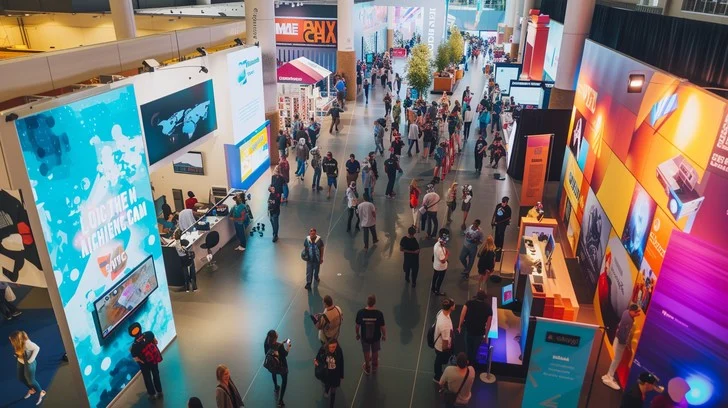
Busy convention center floor with attendees and exhibit activity
Convention Center

Business Impact

The work created a clearer path to revenue that had been slipping through the cracks, while giving leadership better visibility into how the operation was performing.

  • Captured previously missed revenue
  • Improved operational visibility and decision-making
  • Delivered within budget while addressing leadership priorities

User / Operational Impact

Shaped by stakeholder input and real field conditions, the system helped teams communicate, locate packages, and prepare orders with more accuracy day to day.

  • Stronger communication across teams and with customers
  • Faster package location and problem resolution
  • Improved warehouse accuracy through itemized order lists
  • Created the foundation for a future end-to-end transaction workflow

Next Project

CiscoU Learning Launch

Audit, strategy, and UX consulting for Cisco's enterprise learning platform.

CiscoU Learning Launch